


Your lawyers are sharp and your paralegal is great. But if the next step on every matter lives in someone's head, something will slip, and it'll slip on the busiest week of the quarter. In the ABA's latest Profile of Legal Malpractice Claims, administrative errors like failing to calendar a deadline (or failing to act on it) make up nearly 25% of claims, according to an ALPS analysis of the report.
This guide is for legal professionals at solo practices, law firms of 2–10 people, and small in-house legal teams who want every matter to move the same way, no matter who's working it. You'll get a seven-step method to build and roll out legal workflows, plus the three core workflows to start with: intake, document generation, and approvals. You'll also get the deadline safeguards most guides skip and the mistakes that quietly kill new systems.
Plan on a few focused hours for your first workflow. What you get back is a firm where anyone can open a file and know what happens next.
Key takeaways
- Start with one legal workflow, one matter type, and one owner. A partner sponsors the change, and an office manager or senior paralegal runs it.
- Write each step as an action, an owner, a due rule, and a "done when." A step that can't answer all four isn't ready.
- Build intake, document generation, and approvals first, because they touch nearly every legal matter.
- Give every hard deadline two sets of eyes and an internal date that lands before the real one.
- Test on 5–10 live matters before adding legal workflow automation, log what breaks, then lock it in and review high-volume legal workflows every quarter.
Why do small law firms need workflows that don't live in someone's head?
Most small law firms run on a few heroes. There's the paralegal who knows which clients need a nudge and the partner who remembers the statute date without looking. It works fine until a hero takes a week off.
Risk managers have seen this play out for years. The Law Society Gazette has warned that covering for a partner who's sick or on vacation is a common source of negligence claims. The file isn't current, so the person covering can't tell what's due next. Call it the vacation test. Plenty of law firms fail it without knowing.
The cost isn't only risk. Clio's 2025 benchmarks put the average law firm utilization rate at 38%, which is 3.0 billable hours in an eight-hour day. Some of the other five hours are unavoidable. A lot of them go to routine tasks like hunting for the latest version of a document, asking who sent the engagement letter, and retyping data by hand. One paralegal on Reddit, quoted in The Micro-SaaS Corner, described copying court filings into the law firm's internal docket, one exhibit at a time. By exhibit 75, it felt like "my soul is bleeding out my fingertips." That's a gap in your legal workflows dressed up as a staffing problem.
Small law firms also carry most of the exposure. In the ABA's 2016–2019 claims profile, solos and small firms account for more than half of claims by frequency, as the Washington State Bar's NWSidebar noted. The same piece made the useful point: administrative errors are the kind of mistake a law firm fully controls. And the legal industry has had calendaring software for years, yet ALPS notes these routine errors still drive claims. So the fix starts with process.
What does a good legal workflow look like from intake to closure?
Every practice area has its quirks, but most legal workflows share one backbone. Here's a version a small law firm can actually run, with the column most templates leave out: how you know a stage is finished.
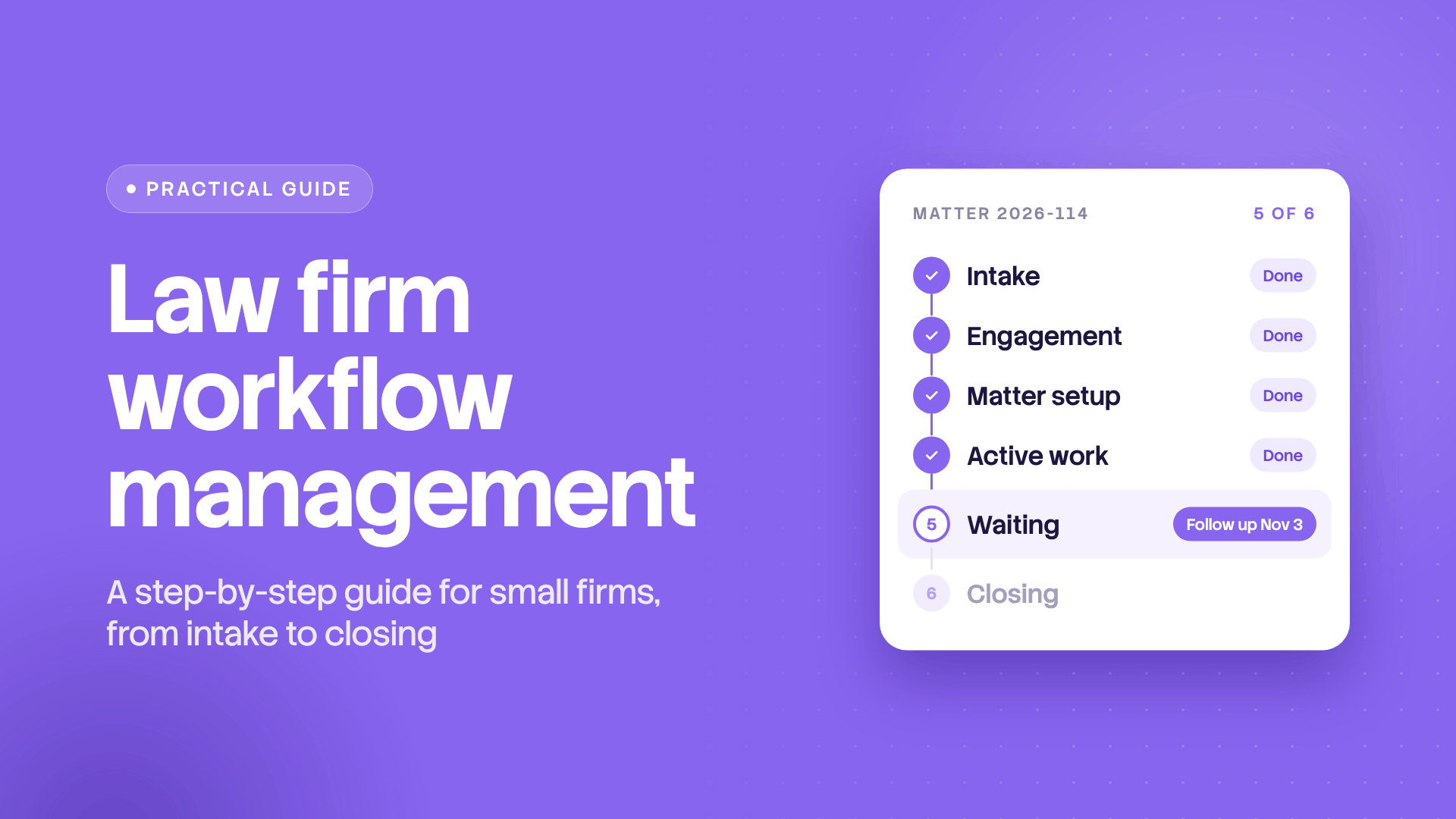
Look at the waiting stage. Most guides skip it, and it's where matters at most law firms go to sleep. A task that says "waiting on client" with no follow-up date is a task nobody owns. Give every waiting item a date and a name, and the stall shows up on your board instead of in a complaint.
The same structure makes cross-training possible. When your paralegal is out, someone else can pick up the legal matter by reading its stage and its open tasks instead of guessing. That's how matter management stops depending on one person's memory. Legal workflow automation involves taking this table and turning it into tasks that appear on their own once the previous stage closes.
How do you map your current law firm operations into workflows?
Before you touch any legal workflow software, map what actually happens today. Legal workflow automation can't fix a step nobody can describe, and if you skip this, you'll rebuild the same chaos inside a new tool, just with nicer colors.
Pick one matter type. Get the legal professionals who do the work together for 30 minutes, write every step on a sticky note, and put the notes in order. For each one, capture five things:
- Trigger – what starts the step: a signed letter, a court order, a client email.
- Owner – one role, not "the team."
- Tool – where it happens: email, a shared drive, a calendar, a paper file.
- Handoff – what gets passed on, and to whom.
- Waiting on – who has the ball if the step can't move.
You'll spot problems fast. Two people run the same conflict check. One step happens in somebody's personal inbox. A deadline exists on only one calendar. Mark those in red, because these are the legal processes that break first when you grow.
Step-by-step: rolling out new workflows without overwhelming your team
Big-bang overhauls rarely stick in a small law firm. Staged changes do. Here's the rollout in seven steps.
Step 1 – Name an owner and pick one matter type
In a 2–10 person law firm, one partner should sponsor the change, and a senior paralegal or office manager should run it day to day. The owner doesn't do every task. They keep the workflow current, collect feedback, and decide when a step changes.
Start with your highest-volume matter type, because that's where a fix pays back fastest. In-house legal teams work the same way: pick the request type that floods your queue, which in most corporate legal departments is contract review.
Step 2 – Map today's process
Use the sticky-note method above. Write down how your legal processes really run, not how you wish they ran. If two lawyers run the same legal workflow differently, record both versions, because you'll need them in the next step.
Step 3 – Write version 1 with the non-negotiables only
This is where most law firms overbuild. Version 1 covers the floor, not the ceiling: deadlines, required documents, conflict checks, approvals, and the points where client communication is required. Everything else is optional.
Write every step in four parts:
- Action – a verb and an object. "Send engagement letter," not "handle engagement."
- Owner – a role rather than a name, so the step survives turnover.
- Due rule – a time relative to a trigger, like "two business days after the consult."
- Done when – the proof, like "signed copy saved to the matter."
This also settles the "but I do it my way" argument. Lawyers keep their own style on the legal work itself: strategy, drafting, and advocacy. Your law firm's minimum covers risk and client service, and nobody opts out of that part.
A first version of one of your legal workflows usually takes a few focused hours. Refining it takes several weeks of real cases. An imperfect workflow next month beats a perfect one in six months that nobody uses.
Step 4 – Build your core workflows: intake, document generation, and approvals
You don't need legal workflow automation for every process on day one. Start with the three that touch almost every matter.
Client intake. Use this if new matters arrive by phone, email, and web form, and nobody's sure which ones got a reply. Capture the same fields every time: full legal name, contact details, opposing party, a short matter description, any known limitation date, and the referral source. The opposing party field feeds your conflict check. The limitation date goes on the firm calendar the same day, not after the engagement letter comes back, which is exactly what malpractice insurers recommend. Then send the new client a confirmation, so client communication starts on a schedule instead of a hunch.
Document generation. Use this if your team rebuilds the same engagement letters, NDAs, and pleadings from old files. Build a template library with merge fields for client name, matter number, court, and key dates. Most word processors, document tools, and legal practice management software can fill those in with just a few clicks, so a first draft takes minutes. Keep templates in one shared folder with a version date, so nobody grabs the 2019 retainer by accident. This is where legal automation pays off fastest, because the same handful of legal documents shows up on nearly every file. It's also the easiest way to automate routine tasks without buying anything new.
Approvals. Use this if work leaves the building without a second look. Set clear rules: settlement offers above a set amount need partner review, every court filing gets a second reader, and any change to fees or the scope of legal services needs sign-off. Make each approval a task with a named reviewer and a due date. If the reviewer approves it, it moves to "send." If not, it goes back to the drafter with a note. Legal workflow software can assign tasks like this automatically, but a shared checklist works on day one.
Step 5 – Add deadline safeguards
Deadlines get their own step because a missed one is usually what sends a law firm looking for a system in the first place. Three rules cover most of the risk:
- Set an internal date – put your working deadline at least a week before the real one, so a sick day doesn't turn into a claim.
- Use two sets of eyes – every hard deadline sits on the firm-wide calendar in your legal practice management software, and at least two people get the reminder.
- Run a weekly file review – spend 15 minutes on every open matter and catch any file with no activity and no next date.
That last rule matters more than it sounds. In a Justia CLE webinar for solo lawyers, risk manager Mark Bassingthwaighte described a missed statute caused by a file that was simply forgotten. The file sat untouched until the statute ran. The malpractice insurer guidance mentioned in Step 4 also suggests a separate inbox for court notices, so they don't get buried under newsletters. If you switch on only one piece of legal workflow automation this year, make it deadline reminders.
Step 6 – Test on 5–10 live matters and log exceptions
Run real matters through version 1 and keep a simple exceptions log: date, matter, which step broke, and why. Short weekly check-ins with everyone involved keep small frustrations from turning into workarounds. The people on your legal team who move matters forward, paralegals and assistants, will spot the problems first, so make sure they're in the room. Hold off on legal workflow automation until the manual version survives this test.
Then run the vacation test. Hand one test matter to someone who hasn't touched it and ask them what happens next, using only the file. If they can answer, the workflow works. If they have to ask you, go back to Step 3 and fix the step where they got stuck.
Step 7 – Lock it in and schedule reviews
Once it holds up, make it the standard and keep it in one visible place, ideally inside your legal practice management software, not in scattered PDFs and email threads. Set one measure you can actually check, like "no missed court dates on this workflow in Q1 2027" or "client communication on every new matter starts within one business day."
Review high-volume legal workflows like intake every quarter, and look at lower-volume practice areas at least once a year. Court rules and regulations change your legal processes, so update the workflow as soon as one does. Keep a short change log for each legal workflow so everyone can see what changed and why. Then pick the next matter type and repeat.
Where does legal workflow software actually help?
Legal workflow software should support the process you've defined, not invent one for you. You don't need an enterprise stack, either. Larger legal departments might, but a law firm your size usually doesn't. You're trying to streamline operations in one specific way: the next step on every matter should be obvious. Once your steps are on paper, legal practice management software with basic workflow automation is what turns them into something people follow on a Tuesday afternoon.
Here's where legal workflow automation tools earn their keep:
- Task routing – assign tasks to roles as a matter changes stage, so nobody waits to be told.
- Automated reminders – nobody has to remember that discovery responses are due in 21 days. It's a paralegal who never forgets to nag you and never needs a coffee break.
- Deadline visibility – a firm-wide calendar everyone can see, with notifications before dates arrive.
- Document management – files stored by matter and searchable, so the right version turns up mid-call.
- Status boards – kanban columns that match your stages, so stalled matters are obvious.
- Simple reporting – overdue tasks, matters with no activity, and time entries that never became invoices.
- Database management – one record for contacts, opposing parties, and matter history.
Automated workflows cut human error because the next step in your legal processes appears whether or not anyone remembers it. That's how you reduce administrative burden without a new hire. Generic workflow software can do some of this. Good legal workflow solutions come with matters and deadlines built in, and they keep automated workflows simple enough that your whole legal team can read them.
Do you need AI to get there? No. AI can help with specific legal work, like summarizing a long document or producing a first draft, but clear steps and owners matter far more. AI is optional; basic workflow automation isn't. Plenty of small law firms run tight legal workflows on task management, a shared calendar, and good templates. Treat AI as an add-on for one step, not the starting point.
Common workflow mistakes law firms make (and how to avoid them)
Every law firm has some chaos. These are the mistakes that keep it there:
- Designing without staff input – the legal professionals who do the repetitive work know where it breaks. Ask them first.
- Building a monster – a 47-step intake checklist in a PDF nobody opens isn't a workflow. It's a monument to good intentions.
- Ignoring edge cases – add a "flag for review" step for unusual matters instead of pretending they're all identical.
- Leaving owners vague – if a step says "someone should," no one will.
- Letting "waiting" go dark – every item that's waiting on someone else needs a follow-up date.
- Treating email as the system – structured work belongs in legal workflow software, not in a reply-all thread.
- Buying before mapping – law practice management software can't fix a process nobody has written down, and legal workflow automation on a broken process just breaks things faster. Map first, automate second.
Using LEXRA as the workflow backbone for your law firm
We built LEXRA for law firms like yours: solos and growing legal teams that have outgrown spreadsheets and a shared inbox but don't want software that takes six months to configure. It's legal practice management software with case and matter management, document storage by matter, tasks, a firm-wide calendar, notifications, kanban boards, time tracking, invoicing, and basic reports.
Here's how the legal workflow you just built maps onto it:
- Track each matter's stage on the kanban board, so you can see which legal matters sit in intake, active work, waiting, or closing.
- Each step becomes a task on the matter, with an owner and a due date.
- Hard deadlines go on the firm-wide calendar, where everyone on the matter can see them.
- Engagement letters, pleadings, and other legal documents live in the matter's files instead of personal drives.
- Time tracking and invoicing sit next to the matter instead of in a separate spreadsheet.
LEXRA doesn't handle trust accounting, IOLTA, LEDES billing, or payment processing, and that's a deliberate choice. Keep money movement in your accounting or billing tools and use LEXRA for the operational side of your legal practice. It's $30 per user per month on a single cloud plan, with a self-hosted option if your law firm needs its data on its own servers.
Pick one workflow from this guide and set it up in LEXRA's 14-day free trial, using your real templates, dates, and matters.
This article is general information, not legal advice.